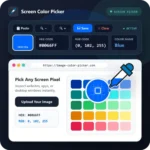
- 🔍 8x optical loupe with live HEX coordinate readout
- 📋 Instant clipboard paste (Ctrl+V / Cmd+V) directly on canvas
- 💾 My Library with unlimited local collection bookmarks & JSON export
Version 3.4.0 introduced two of our most requested features: high-precision HTML5 Optical Loupe Magnification and the permanent, client-side My Library repository studio.
Sub-Pixel Precision with 8x Optical Loupe
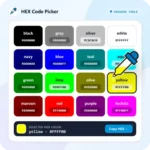
Sampling colors from intricate UI icons, rasterized micro-typography, or low-contrast photography previously required squinting or zooming the entire browser window. With our built-in 8x optical loupe, a magnified lens with high-contrast crosshair tracking follows your cursor, providing real-time pixel-by-pixel inspection and instant HEX readouts.
Clipboard Ingestion (Ctrl+V / Cmd+V)
You no longer need to save screenshots to your desktop before inspecting them. Simply snap your screen (Win+Shift+S on Windows or Cmd+Shift+4 on macOS), click anywhere on the Image Color Picker canvas, and press Ctrl+V. The image loads in milliseconds without any file dialog friction.
My Library: Zero-Limit Design Bookmarks
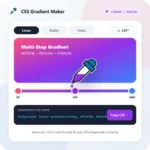
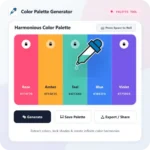
Access your personal design workspace from the top navigation bar. Save favorite palettes, custom CSS gradient recipes, and standalone shades with one click. Everything is saved locally in your browser and ready to export to CSS, JSON, or Photoshop ACO formats.