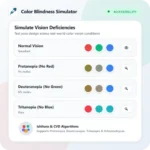
Color Blindness Simulator is an online tool designed to help graphic designers and web designers preview how colors and color palettes appear to users with color vision deficiency. By testing your color codes across 8 types of color blindness—including Protanopia (Red-Blind), Deuteranopia (Green-Blind), Tritanopia (Blue-Blind), and Monochromacy—you can make sure your logo, chart, or website remains clear for everyone.
How to Use It
1. Enter Color or Palette. Pick a color or enter one or more HEX color codes separated by commas in the input box above.
2. Click Simulate Button. Click the Simulate button or choose one of the preset test palettes to process the color vision simulation in your browser.
3. Compare Results. See the comparison between Normal Vision and all 8 color blindness simulation cards, and click any simulated swatch to copy its HEX color code.